
On Line Profile How To
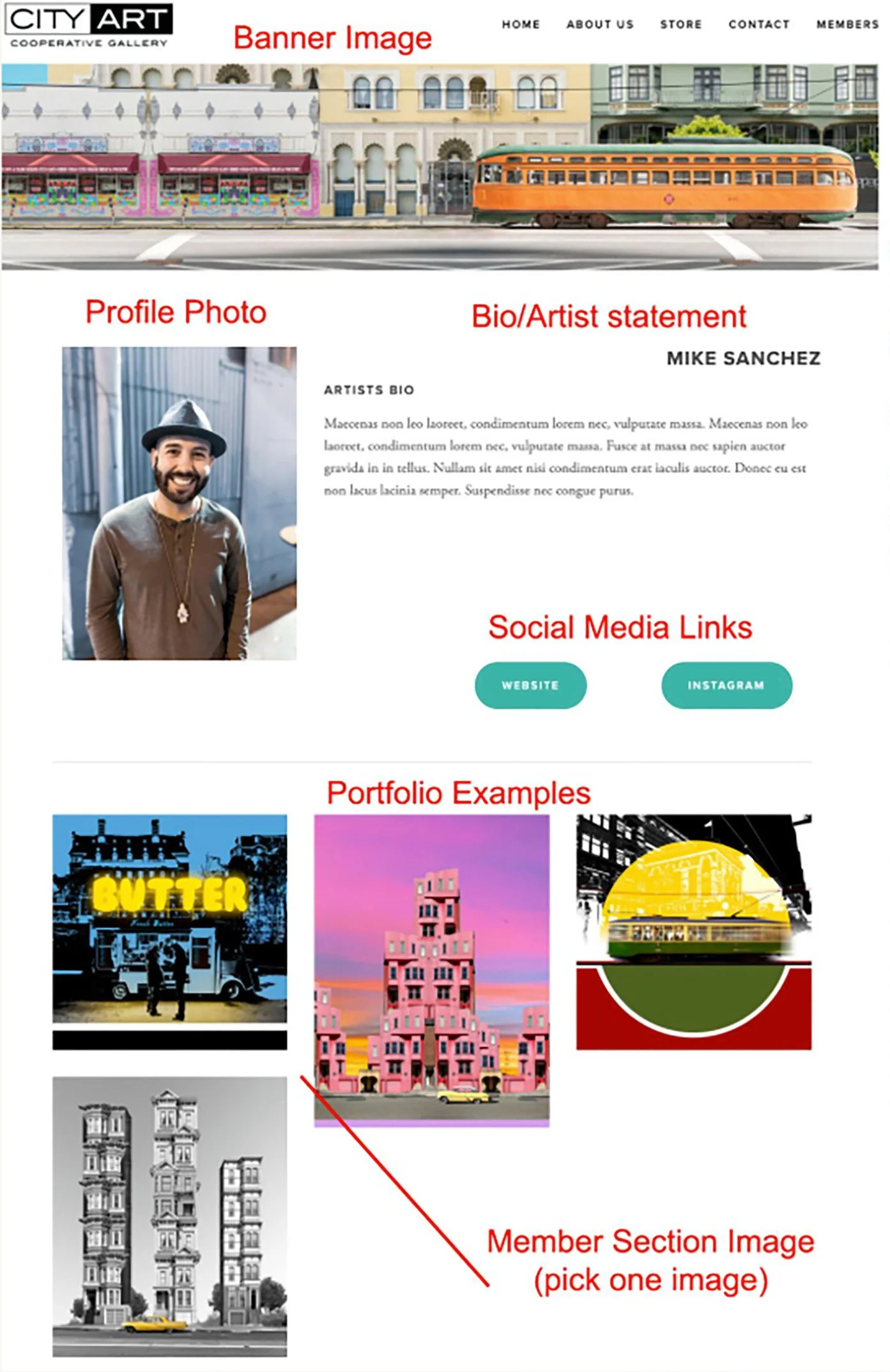
How to view the layout
Banner Image: A wide image at the top of the profile page. It’s the first image customers will see so pick a favorite and dictate where you want its focus ( bottom, middle or top of the image)
Profile Photo: An artist profile photo, work in progress photo or a photo of artwork that represents the artist.
Bio/Artist Statement: Dedicate 1-3 short paragraphs describing who you are and your artwork
Social Media Links: These buttons will link up to 3 social media accounts or websites.
Portfolio Examples: Images of current work. Up to 10 images allowed
Member Section Image: A single image that will be used in the member directory.
File Naming & Image Size
Image Size: Minimum 1000 pixels up to 2500 pixels
Banner Image: Use images between 1500 pixels and 2500 pixels wide. ensure images are wider than they are tall.
General Image File Naming: Label each image with its corresponding layout location
Example: profile.jpg
banner.jpg
member section.jpg
Portfolio Images File Naming: Label each image portfolio_piece title
Example: portfolio_Butter.jpg
portfolio_StayGold.jpg
Bio/Artists Statement format: Deliver 1-3 paragraphs in the text of your email - not in your file.
Social Media: Also add these links in the text of your email
Delivery: Put the image files into a folder. Label the folder with your full name and zip (compress) the folder.
example: SuzaneBeaubrun.zip
Email this file along with you Bio/Statement and Social Media links to art@michaelsacramento.com